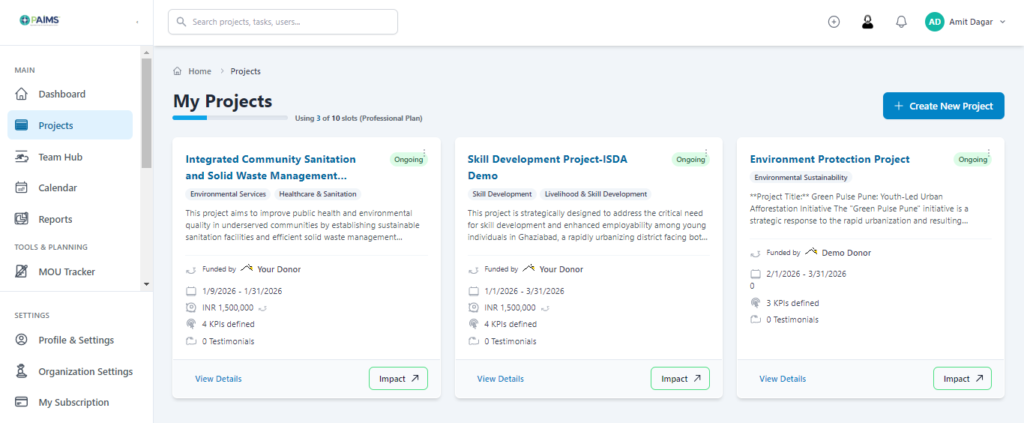
Step-01: Click the “Project” in the left side bar and then click the “Create New Project” button on the top right
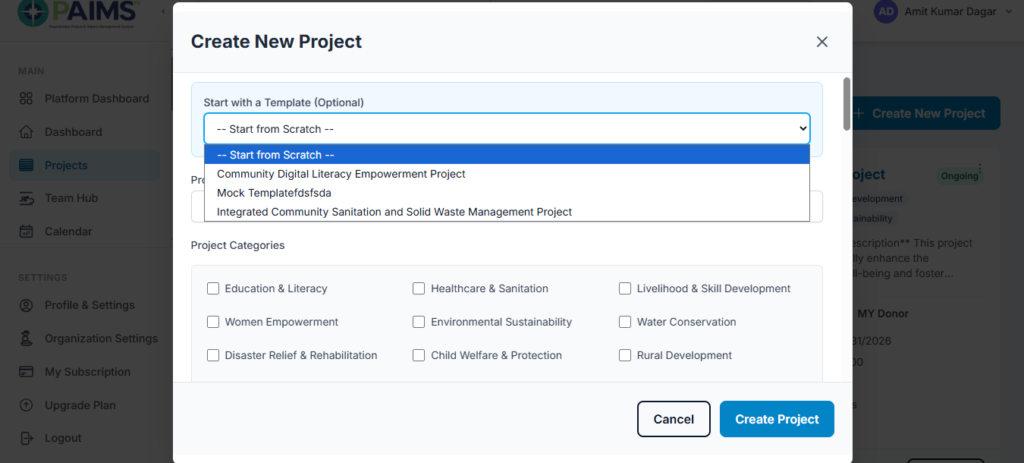
Step-02: Choose a “Project Template” or If Your Kind of Project is not in List, then You can Create from Scratch by Filling or Updating Project Form Fields. Then click “Create Project” button to the bottom left
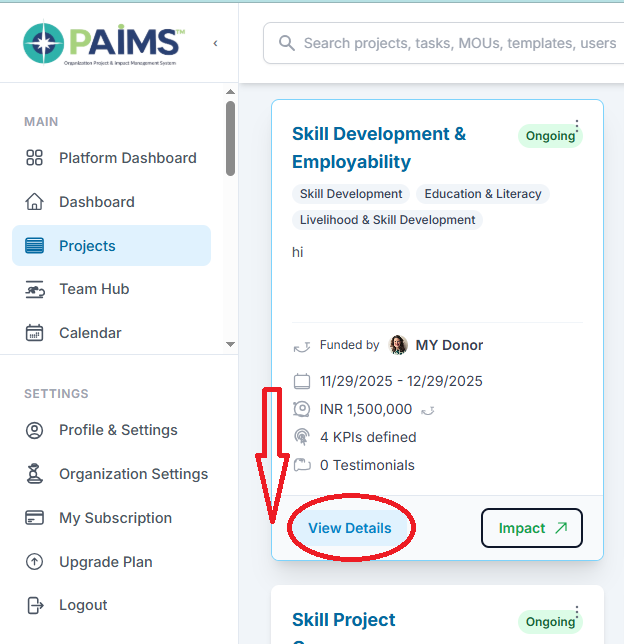
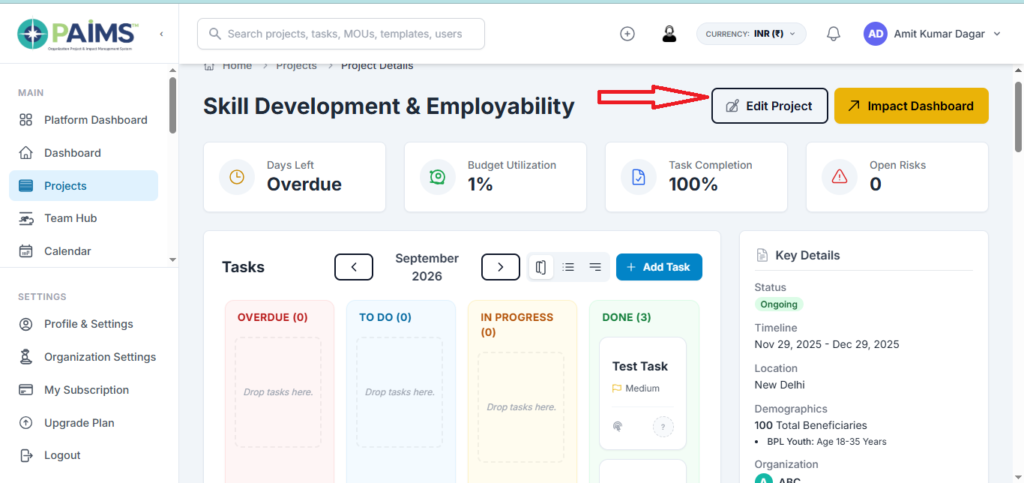
Step-03: To view or update project, first click “View Details” and then “Edit Project”.